
For screenwriters
For the scene that almost works.
The exchange reads cleanly, but something is too easy. Hear it, question it and come back to the page with one specific thing to try.
Writing and performance
- 01Shape the scene
- 02Hear the exchange
- 03Return to the script
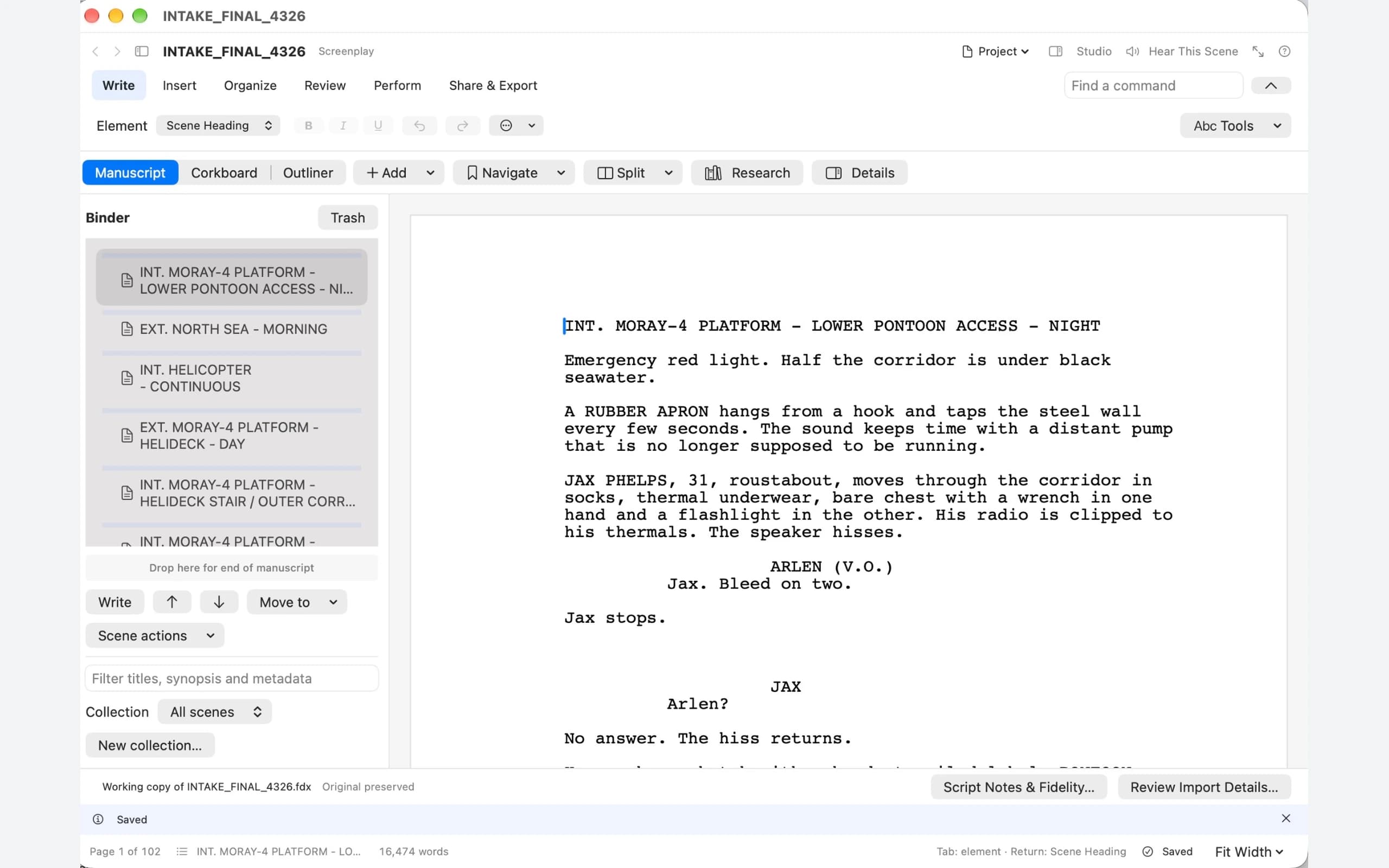
From the page to your ears, and back
You know it too well.
Hear it a little differently.
After the tenth read, your eye supplies the rhythm you meant. Listening can help you notice the repeated phrase, the answer that arrives too easily or the paragraph that has already made its point.
- 01 · Write
Stay with your story.
Choose the passage that is bothering you. Keep the surrounding chapter or scene close enough to remember what the moment needs to do.
- 02 · Listen
Hear your own words.
Use Hear This Scene or Hear This Chapter, choose your cast and listen to the passage you are working on.
- 03 · Revise
Make the next draft stronger.
Return to the text with one thing to try. Change the line, hear it again and decide whether the revision earns its place.
Give the listening a question.
Before playing a scene, decide what you are trying to hear. Does each character want something different? Is the answer too quick? Does the dialogue explain an action we can already see? A specific question makes a listening pass useful.
On the page
Give the scene something to change.
Begin with an action an audience can see, a character with a purpose and a choice that changes the situation. The screenplay worksheet helps you plan that movement before polishing the dialogue.
In the room
Let the reading ask a better question.
Does the reply arrive too easily? Do both characters sound alike? Use a listening pass to notice rhythm and tension, then choose the revision the scene needs.
Between tools
Bring the script you already have.
Use the Final Draft and Fountain guidance to plan a representative import. Check screenplay elements, scene numbering and any production data you rely on; preservation depends on the source and the app build.
Beyond the first draft
Explore a different discovery.
What if a character knows the secret before entering the scene? The Last Key demonstrates the planned story tools through an alternative branch and a selective revision you can undo.
Cloud · Mac · Windows