
For audiobook creators
Give the story a voice. Then make it yours.
Start with a chapter, choose how the story should sound, and listen before committing to a whole book. NarrativeForge connects preparation, casting and review in an audio workspace.
Cloud · Mac · Windows
- 01Prepare a chapter
- 02Choose the voices
- 03Review the performance
Inside NarrativeForge Studio
A home for the words.
Room for the whole story.
Explore the actual Mac app: start a project, write a screenplay, develop a manuscript and return to your creative workspace.
Explore the Mac screenshots ↗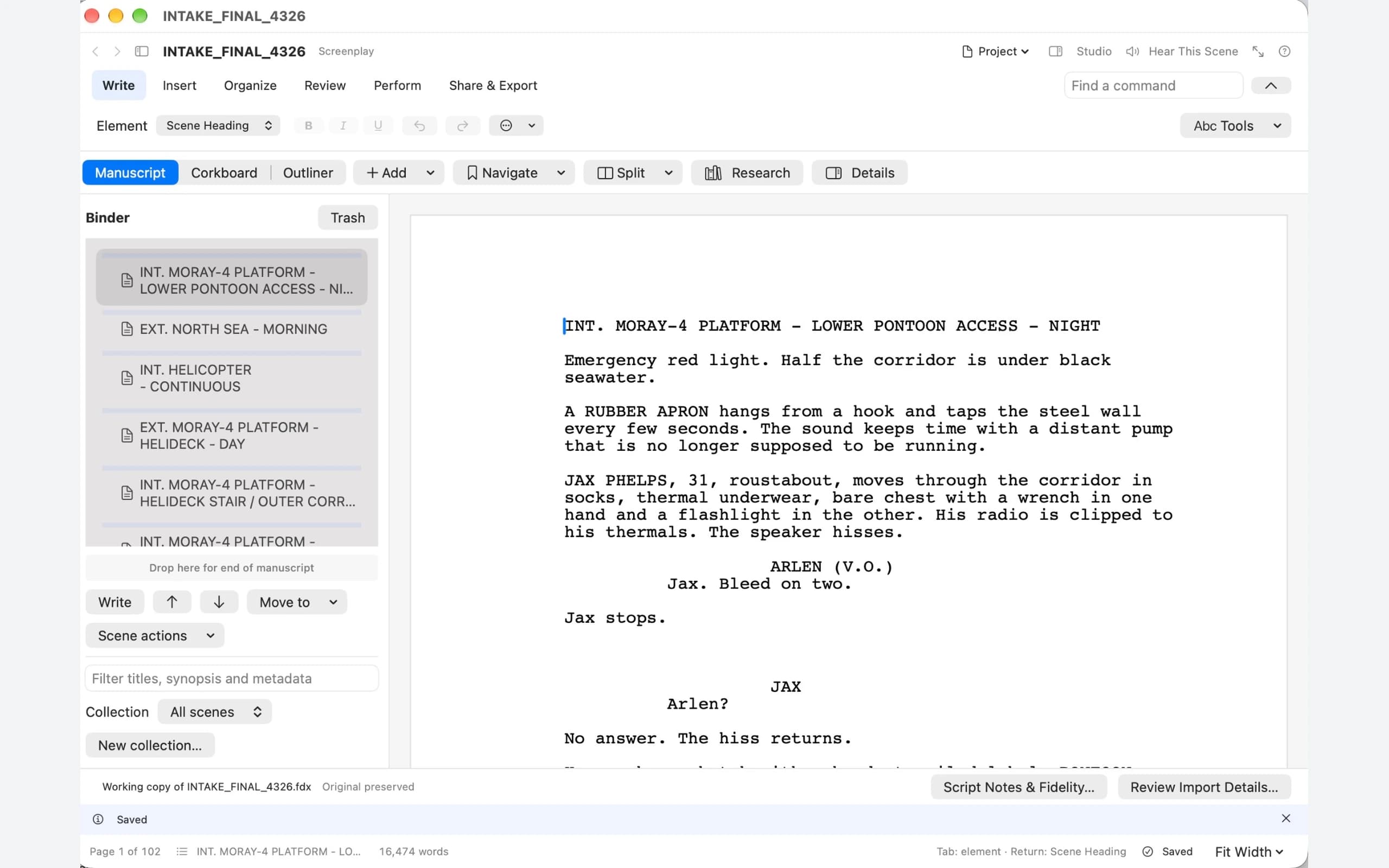
From the page to your ears, and back
You know it too well.
Hear it a little differently.
After the tenth read, your eye supplies the rhythm you meant. Listening can help you notice the repeated phrase, the answer that arrives too easily or the paragraph that has already made its point.
- 01 · Write
Stay with your story.
Choose the passage that is bothering you. Keep the surrounding chapter or scene close enough to remember what the moment needs to do.
- 02 · Listen
Hear your own words.
Use Hear This Scene or Hear This Chapter, choose your cast and listen to the passage you are working on.
- 03 · Revise
Make the next draft stronger.
Return to the text with one thing to try. Change the line, hear it again and decide whether the revision earns its place.
Prepare
Prepare a chapter worth testing.
Choose a representative passage with narration, dialogue and the names that need care. Review the manuscript structure and pronunciation choices before a larger production.
Cast
Find the right amount of cast.
Begin with one narrator, add selected character voices, or explore an ensemble. Choose the approach that makes the story easier to follow and compare voices in the actual passage.
Review
Listen, take notes and make the next decision.
Review timing, transitions and character distinction in a short sample. Keep useful direction notes as you refine the approach; the full production guide explains a repeatable listening process.
Your choices
Choose your processing and voice sources.
Local runtimes and online providers have different requirements and costs. Review the selected engine and edition, and use voice references you own or have permission to use.
The studio’s next chapter
Review, Revision & Approval and Publish & Maintain are approved roadmap programs. Browser review, revision response packages and coordinated publishing editions remain planned expansions.
Cloud · Mac · Windows